Commuteur / How it works
How to use Commuteur
The app has four tabs. Here's what each one does, with the screens you'll see.
Start with setupGet set up
Takes about a minute.
Download
Coming to iPhone. Join the waitlist for the link.
Create an account
Use your email or Sign in with Apple, then turn on Face ID.
Allow location
Only while the app is open, to start trips from where you are.
Turn on alerts
Optional: transit alerts and a reminder before it's time to leave.
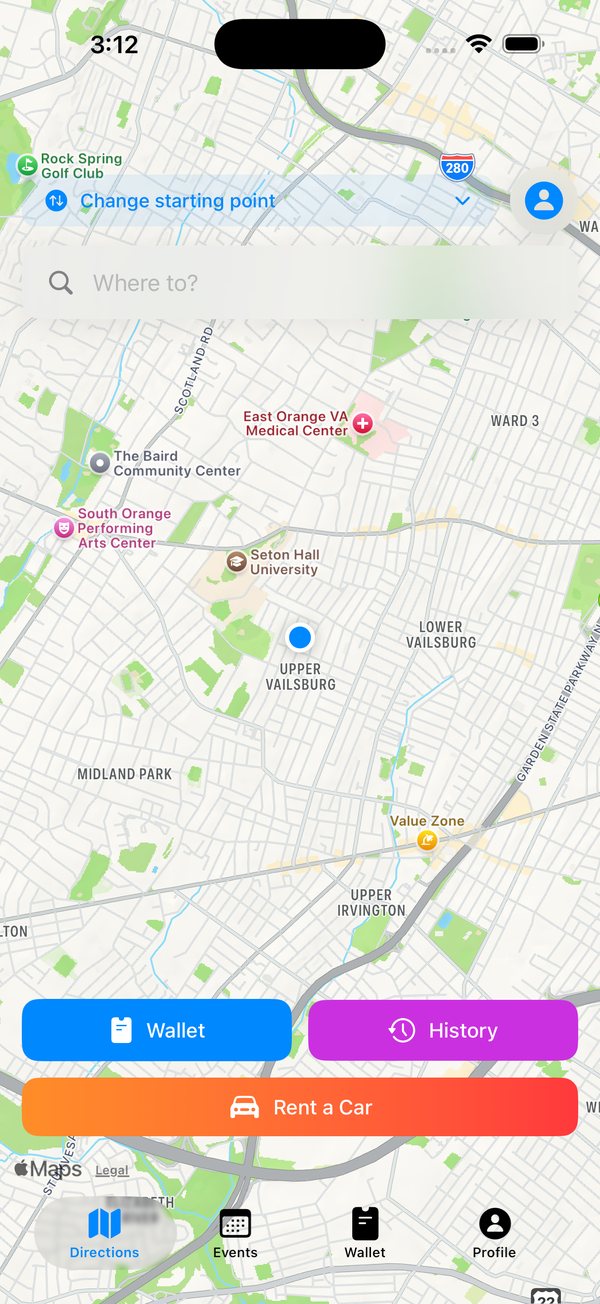
Plan a trip
Every trip starts on the map.
Search
Type an address, station or place in Where to?
Start elsewhere
Tap Change starting point to plan from anywhere.
Compare
Transit, rideshare, Citi Bike, walking and rentals with time and price.
One-tap shortcuts
Wallet, History and Rent a Car sit right on the map.
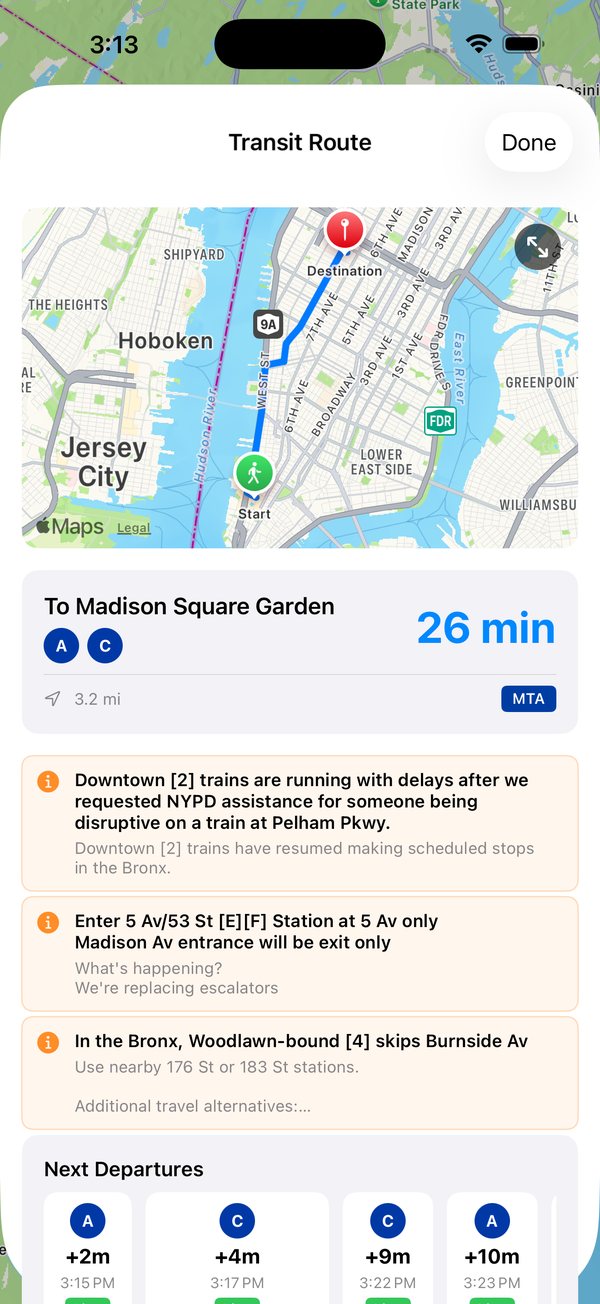
Ride with Commuteur
Pick an option and follow along.
See the whole route
Your lines, total time and the route on the map, start to finish.
Alerts on your lines
Delays and station changes from the MTA and NJ TRANSIT, right in the trip.
Live departures
The next trains with live times and direction, so you know which one to catch.
End and earn
End the journey to save it. Transit legs earn Green Points.
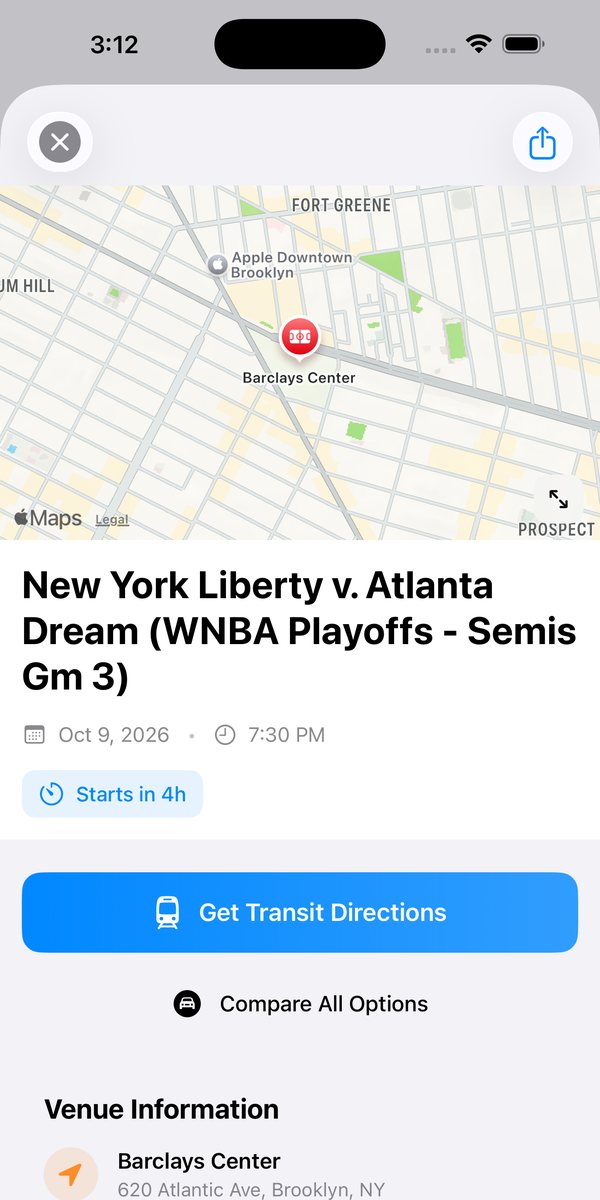
Get to events
Games, concerts and shows near you.
Browse
Filter by sports, music, arts and theatre, or family.
Get there
Get Transit Directions for the best route.
See every way
Compare All Options for everything that gets you to the venue.
Get tickets
Buy tickets from the event page.
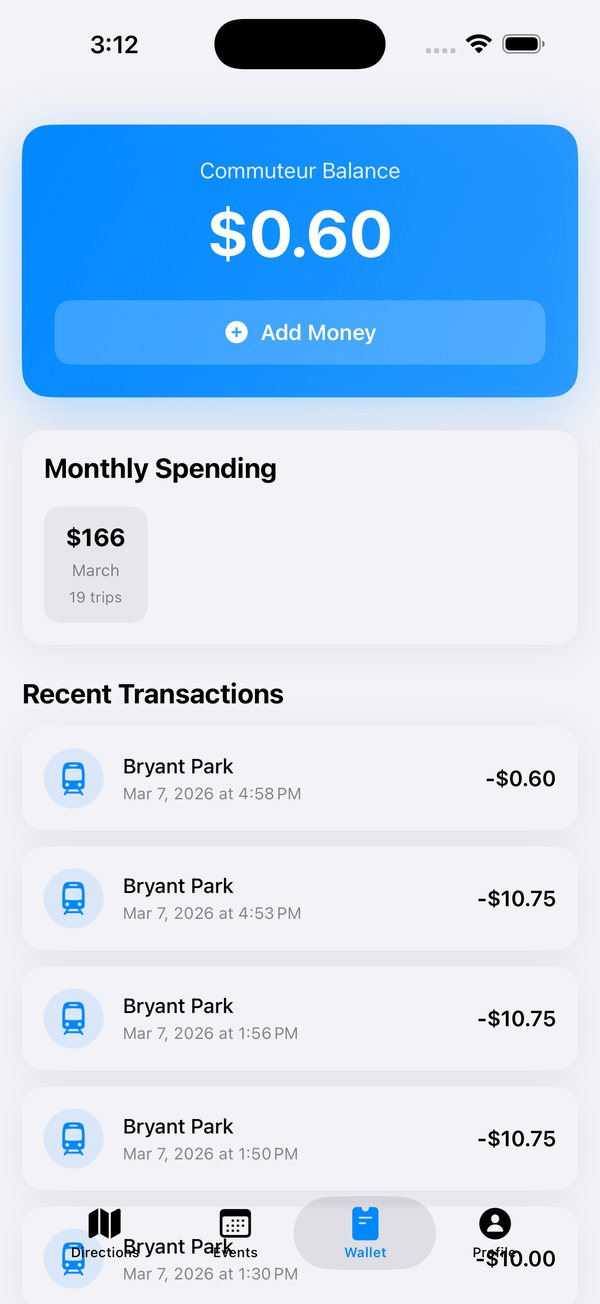
Pay and earn
Balance, payments and rewards in one place.
Add money
Tap Add Money or use Quick Add. Payments go through Stripe.
Payment methods
Add or remove cards any time.
Track spending
See what you spend on getting around each month.
Green Points
30 points per transit leg. Redeem them for rewards.
Make it yours
Settings, history and your account.
Saved locations
Home, work and regular spots for one-tap trips.
Trip history
Every trip you've taken, with points earned.
Notifications
Pick your alerts and how early reminders arrive.
Delete account
Under Settings. Removes your account and data for good.
Screens from the Commuteur app. The sign-up and Profile screens are illustrations.